רשומות

Siebel Application Menu Items / Applet Menus items doesn't work in IE 8.0??

If you are getting tough time after upgrading your Internet Explorer to version 8.0 and if you have observed that no Menu items is working across the application i.e. Application Menus, Applet Menus etc, then don't get panic, this is something due to the new version only of IE. But not to worry here, IE 8.0 provides the facility of running the browser in compatibility view where it allows the
Problem while exporting data from Siebel in IE 7.0 or IE 8.0?

When I tried taking the export from Service Request list applet, I saw a difference in the way export applet was behaving in comparison with how it used to worked in IE 6.0. Right now I am using IE 7.0.So let me tell you the complete scenario what happened: From Service Request list applet, I clicked on Menu -> Export and as per expectation Export applet came up and I clicked on "Next" button.

How to apply Oracle hint in query via Siebel Configuration?

Our team was facing one performance issue in our application in which navigation to a view was taking hell lot of time. As every Siebel developer does, we also spooled the query which is running in the background and found the culprit query for the issue. SQL query seems to be very simple:SELECT T1.CONFLICT_ID, T1.LAST_UPD, T1.CREATED, T1.LAST_UPD_BY,T1.CREATED_BY, T1.MODIFICATION_NUM, T1.ROW_ID,

Error in Inbound Integration !!

Generally whenever you create a new Inbound Integration in Siebel, its a recommended practice that you get a new Database login created for it and that you can share with the other system for which you have created this inbound integration. I did the same thing, requested for a new DB login from our DBA and got it created. Before handing over to other party for use, I tried testing this newly

Debugging Siebel eMail Response !!

In our Siebel application, we are using OOB functionality for creating Service Requests via emails, and yes I think you guessed it right we are using Siebel eMail Response workflows which are available in Siebel Tools and you just need to configure them as per your need and these works really well.(For people who are new to this subject, to find these workflows you need to query in Siebel tools

How to customize your Siebel application toolbar

תמונה
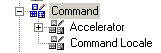
Want to customize your tool bar? here is how you can do it. Depending upon where you want your button or control to go. You will have to select the appropriate toolbar and customixe it. In this post I will show you how to create a custom button to logout from your application. Step 1:   go to Command Object in your Object Explorer and query for "Logout " (If you cannot see this object. In tools go to View | Options | Object Explorer tab | check the Command Object) Step 2: Copy the the Logout command object and rename it to 'Logout New' (you could use the same one too) Step 3: Go to the toolbar Object in your Object Explorer and query for "HIQuery" toolbar(you could use another toolbar depending on where you would like to see your button on the application) Step 4 : click on the toolbar Item child object. Create a new record called ' Logout ' with the following properties - Name : Logout - Command : Logout New - Display Name : Logout   Step 5: ...

How to add a Screen Tab image to your siebel application

תמונה
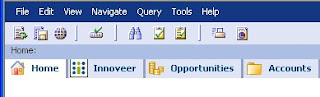
Hi all, This is usually a part of Branding, adding your own images/icons to the siebel application like I have added below. Required Configuration : Add the Screen on the Page tab. Only the image will be visibl e. In Bitmap Category create a new record with a unique name and the required parameters. In Bitmap child object create a new record with name ‘Screen Tab’ and in filename specify the name of the file with the .gif extention. To specify the properties of ‘Logo’ go to menu -->View-->Windows-->Properties Windows. Now you will be able to edit the ‘Height’ and ‘Width’ properties. In the Object Explorer goto Screen --> Create new/Use existing screen and give the required properties. Then goto Siebel Tools menu--> View-->Windows-->Properties Windows. Specify the name of the Bitmap Category in the Bitmap Category Property as displayed in the below figure. Compile all the Objects. Clear internet history and files. Reopen the Application. Yo...