MVG Issue in Siebel OpenUI
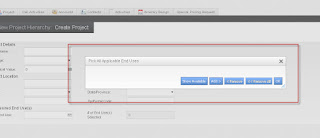
Siebel Open UI have an issue with MVG. The MVG does not display the data. The pop-up shows an "empty" applet with only the buttons visible. Issue is corrected when the quotes are removed from Applet Select parameter. To Solve this issue please do the following steps 1. Go to Site Map > Administration Server Configuration > Component Definitions screen . 2. Query for the following in the corresponding fields: Component: Object Manager Component (Ex: ePharma , Fins) Parameter: AppletSelectStyle 3. Existing Value: " Applet Select " for the parameter " AppletSelectStyle ". 4. Change the value from " Applet Select " to Applet Select ( Remove the Quotes ). 5. Log off. 6. Restart Siebel Servers. Login again and test application .. this will work :-)
