רשומות

מוצגים פוסטים עם התווית OBIEE 11g

Oracle BI SampleApp Public Instances
תמונה
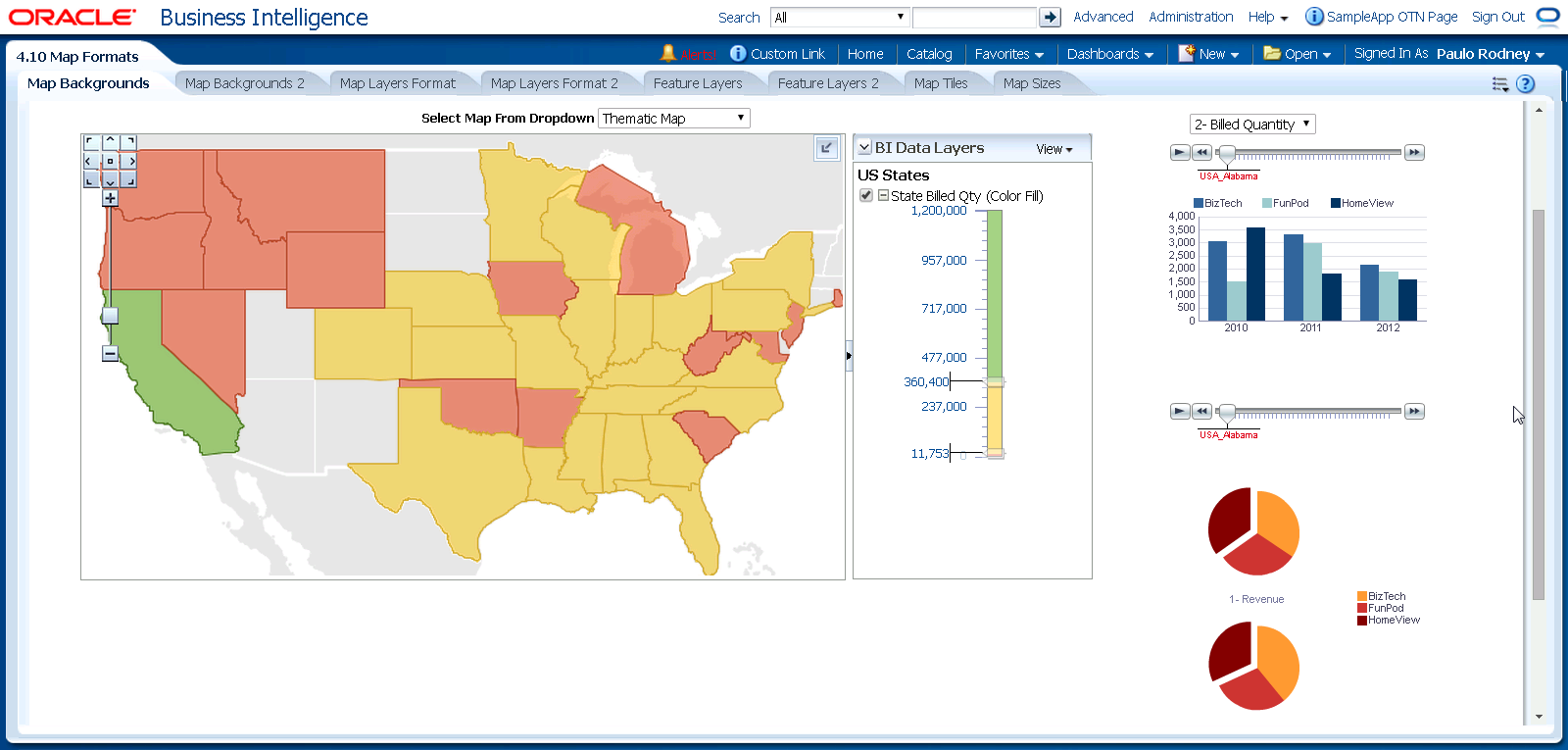
Recently, the long-missed Oracle BI SampleApp (V 406) instances that are hosted by Oracle have resurfaced. While it is not sure how long they remain online, seize the opportunity and explore this first-class example environment. Here are the URLs: http://slc02ojz.oracle.com:7780/analytics http://slc02oka.oracle.com:7780/analytics http://slc02ojw.oracle.com:7780/analytics As usual, username is prodney and password is Admin123 . Remember that the best available instance of the Oracle BI Sample App is the one you have on your own machine. Especially when you want to go beyond the browser. have a nice day @lex
Oracle BI 11g: Verifying Logical Table Sources in Analyses

תמונה
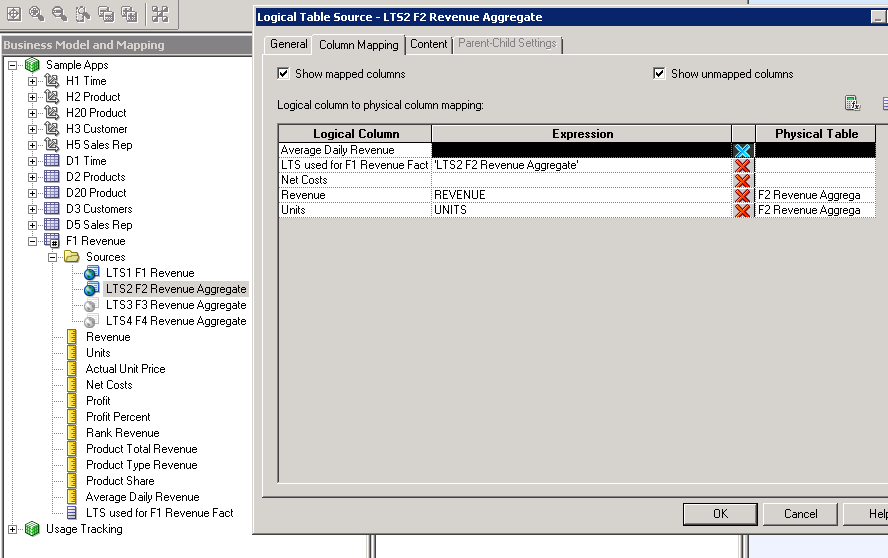
Inspired by a nice instance of the Oracle BI 11g Build Repositories class I delivered last week as an LVC, I decided to share a little trick with you. What if we could verify the name of the logical table source in Answers (aka "Analysis Editor")? For example, when you create multiple table source for aggregates or partitioned data, it is important to verify your implementation. I found the following procedure to be quite helpful with that. Create a new logical column that displays the name of the logical table source. Within your logical dimension or fact, create a new logical column and map it (physically) in each table source. As the expression use a string identifying the logical table source. Just as in the screenshot below. Click to enlarge. In the above example I specified 'LTS2 F2 Revenue Aggregate' (the exact name of the LTS) as the constant value for the new column. This specific LTS is mapped to an aggregate fact table at the quarter level. In the other l...

Oracle BI 11g: I Don't Like Mondays

תמונה
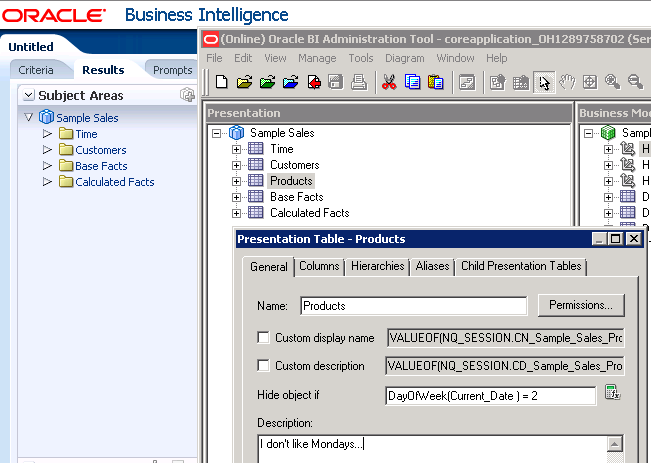
To be honest, I like Mondays. And it's Thursday. But it made such a catchy title ;-) This article will show you how to hide Oracle BI 11g Presentation Layer objects on Mondays, hence the title. Introduced in OBI 11.1.1.6.2 (or so), we can define a conditional expression to control whether a presentation layer object (Subject Area, Presentation Table, Presentation Column) should be visible to the end user or hidden. The property is called Hide object if . As per the documentation , we can use the field in three ways. Enter a constant : 0 (zero) will display the object. Any non-zero value will hide the object. Use a variable : Initialize a (session) variable and use it in the expression. Again, if the variable value is 0 (zero), the object will be visible, otherwise it will be hidden. Provide a comparison : You can use a limited set of functions and operators to evaluate conditions. For example, the following expression will be 'true' (or non-zero) when the current day is a M...

Oracle BI Mobile App Designer Release 2

תמונה
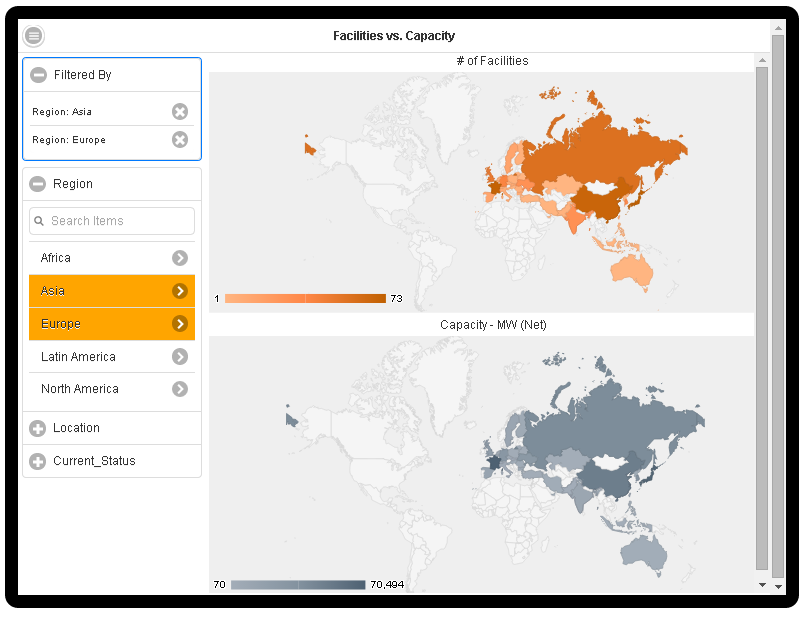
A while ago, Oracle has made the second release of BI Mobile App Designer (BIMAD) available. The official version name is  11.1.1.7.10-BIMAD-PS1 and it can be downloaded as BI patch 18794832 from My Oracle Support. Here at Siebel Essentials, we're always fond of new features, so we took the new BIMAD for a test drive. BIMAD sample app showcasing the new map feature Here is the short list of new features: UI Redesign New Map component New Exploration page Global filters Calculated fields Support for multi-select Plugin SDK and Gallery The complete list of new features and enhancements can be found on the What's New page of the official user guide . UI Redesign The first thing that strikes the eye - apart from the new overall Skyros theme -  is that the designer got redesigned. BIMAD Release 2 Designer UI. Click to enlarge. One of the major changes is the removal of the ribbon-style navigation, replacing for example the component selection with a plus (+) icon. In addition...

Rittman Mead BI Forum 2014 in Brighton

תמונה
It's this time of the year again when the good people at Rittman Mead gather the most prolific BI experts in Brighton and Atlanta . This humble writer also secured a seat at the UK event which starts this Wednesday. Day 1 will be a Masterclass on Hadoop with George Lars and the following two days are filled with BI goodness and expert talks such as TimesTen, Performance Tuning and Cloud Analytics. Apart from the doubtless magnificent content, I am especially looking forward to meet the world's leading BI experts in person. As usual, I will report to you via blog posts and tweet live from the event. have a nice day @lex

Oracle BI Mobile for Android

תמונה
At the risk of outing myself as an Android fanboy, I was glad that the wait for a BI Mobile App for my smart phone is over. After serving customers with a favor for pomaceous devices for quite a while , Oracle has recently published Oracle BI Mobile for Android  on Google Play. Of course, I couldn't resist and try it out myself. In the following I'd like to describe my findings. Installation and Public Demo As with all smartphone apps, installing the software is nice and easy. Once launched, you find a predefined "Public Demo" connection which allows you to inspect various example dashboards and mobile applications. Indeed, the new BI Mobile Apps can be accessed simply by opening them from the catalog. Here is a screenshot from one of the sample dashboards (Galaxy Nexus): Browse and Search Tapping the left menu icon allows you to browse recently opened items, list the favorites or use the BI catalog. In addition, there is a central search box which also supports the...