רשומות

מוצגים פוסטים עם התווית siebel

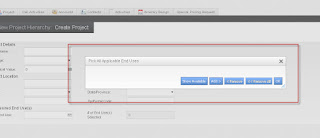
MVG Issue in Siebel OpenUI
תמונה
Siebel Open UI have an issue with MVG. The MVG does not display the data. The pop-up shows an "empty" applet with only the buttons visible. Issue is corrected when the quotes are removed from Applet Select parameter. To Solve this issue please do the following steps 1. Go to Site Map > Administration Server Configuration > Component Definitions screen . 2. Query for the following in the corresponding fields:     Component: Object Manager Component (Ex: ePharma , Fins)     Parameter:   AppletSelectStyle 3. Existing Value: " Applet Select " for the parameter " AppletSelectStyle ". 4. Change the value from " Applet Select "   to  Applet Select  ( Remove the Quotes ). 5. Log off. 6. Restart Siebel Servers. Login again and test application .. this will work :-)
Siebel Open UI Screens

תמונה
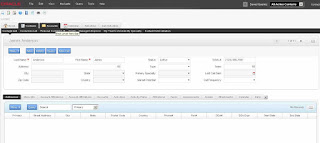
Hi Lets see some Open UI screens

Siebel Open UI : Oracle Demo

This is a demo of siebel open UI done by team Oracle

Siebel Open UI : Oracle Demo

This is a demo of siebel open UI done by team Oracle

ActiveX UI Architecture Vs OpenUI Architecture

תמונה
The Image shown below revels how Open UI is going to rock. Open UI completely avoids the ActiveX monopoly and using latest trends in web technology like jQuery, Ajax etc..

Siebel Open UI

תמונה
One of the main drawback of siebel is its UI. It is very disappointing one. Siebel support High interactivity (HI)as well as Standard interactivity. (SI). HI is used by employee based application like financial, call center etc. SI is meant of portal applications like eEvents. Both UIs are not attractive. HI only works on internet explorer. HI application needs to send and receive data from server asynchronously. In old days no other browser have such facilities. But IE have it through ActiveX components. So Siebel works fine in IE. After the boom of Ajax & jQuery asynchronous server communication is not a matter. So it is high time to change UI & browser dependency.   Open UI uses main web standards HTML 4.01 Standard (HTML 5 optional) Since It support HTML 5. We can have canvas tag. Using sibel UI we can even animate :) CSS level 2.1 (CSS level 3.0 optional) we can use many CSS frameworks so we can change overall color and theme. JavaScript version 1.5  this help us ...