רשומות

מוצגים פוסטים עם התווית jQuery

Google Maps in Siebel (Open UI): The Penultimate Edition - Part 2

תמונה
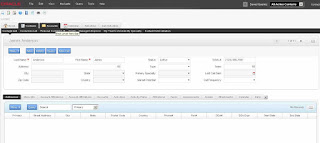
Welcome to the second part of our 'penultimate' edition of Google Maps in Siebel Open UI. In the first part , we focused on the scaffolding, used templates to create a custom PM and PR for the SIS Account Entry Applet and downloaded and registered the colorbox plugin. Today we will look at the actual implementation, starting with some requirements: As stated in part 1, the code should be generic enough to work with all form applets that display address data The solution should be SRF-independent. A clickable map icon should be displayed next to the address fields. When the icon is clicked, the map of the address displayed in the applet should be shown in a colorbox iFrame. So, let's get to work: 4. Implement the Presentation Model The purpose of a presentation model is to capture the business logic behind the scenes. In our example, the PM's task will be to extract the address information and create the link which leads to the map vendor's web site. The following s...

Google Maps in Siebel (Open UI): The Penultimate Edition - Part 1

תמונה
Displaying Siebel address data in a Google map seems to become one of the most discussed topics here on Siebel Essentials. Just recently, I received a friendly email from Mattias Johansson from  Accelsior Corporation  who  published a follow-up  on one of my posts , upgrading the pre-IP 2013 example in the post to version 8.1.1.11 or higher ( click here to access Mattias' original article ). I really liked Mattias' initiative and decided to rewrite the Google maps example for Siebel Open UI again on my own. In the below article I will discuss the steps to achieve the following in IP 2013 or higher: Siebel Open UI with a Google map in a colorbox iFrame. To spice things up a bit, I added the following ingredients: The code should be generic, i.e. it should work on any form applet displaying address data. There should be no dependency on the SRF. It should be easy to "switch" to another map engine. Colorbox should be used for displaying the map. And here are the steps ...

Siebel Open UI Screens

תמונה
Hi Lets see some Open UI screens

What is Ajax and why it is in Siebel Open UI

In old days siebel needs to communicate with server asynchronously. That means when you step out from a record it should save with out any page refresh. At that time there were no browsers supports this feature. But Internet explorer have such a feature which is implemented with the help of ActiveX. xmlHttpRequest can sent with the help of ActiveX. Later JSON (Javascript Object Notation)&Ajax  (Asynchronous JavaScript and XML)are replaced this technology and it is world widely accepted. Ajax can communicate with server asynchronously that means with out page load or refresh the data can be sent to or retrieve from server.  But there is another problem every browsers have there own implementation on this ajax. If you are making any web application with ajax you need to take care all these browsers separately. First you need to identify the client browsers and then invoke their technology to send data to our server. jQuery comes with cross browser solutions. If you add jQuer...

Learn how to customize Open UI

We can easily customize open UI to beautiful website with heavy data that can be loaded in any browsers. Since Open UI support jQuery as well as HTML 5 we can easily develop mobile application also with out approaching any mobile web developer. What are the prerequisites for studying these things?  -> HTML -> CSS -> JavaScript ->jQuery (Javascript Library) ->HTML 5 (Optional) If you have some HTML/ Javascript background you can easily learn jQuery & HTML 5. Else you need to study the basics of HTML/CSS/Javascript You can learn it from here 1. W3Schools                                           Learn HTML                           ...