רשומות

מוצגים פוסטים עם התווית iHelp

Launching iHelp with eScript

Hey Folks, I had a requirement with one of my clients to have a button on a Form Applet that opens the iHelp . "My Oracle Support" has a few SR's that are related, and I had tried various things including trapping the method calls that are triggered when clicking on the iHelp button on the Toolbar, then repeating them on my custom button but with no luck. Oracle support seems to confirm you can't Launch iHelp with Script in Siebel 7.7, but doesn't mention Siebel 8.1 (which probably means you can't do it!) This however is possible through script. You could use the below code on the button to toggle the iHelp from a custom button. Code: function WebApplet_PreInvokeMethod (MethodName) {     if(MethodName == "LaunchiHelp")     {         var oBS = TheApplication().GetService("Task Assistant UI Service");         var psInputs = TheApplication().NewPropertySet();       ...
How do I...Create an iHelp

תמונה
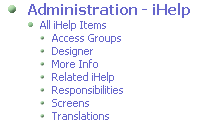
Siebel 8.x offers a really cool functionality - iHelp. iHelp is a wizard like functionality that guides the user through complex UI tasks to make sure the required information has been populated correctly. Configuring iHelp is pretty simple and is probably the most easiest thing to configure in Siebel. Unlike other UI configuration, iHelp is configured solely using the Siebel Application. Configuration Steps in detail - Lets Create an iHelp to Create a New Quote Navigate to the Administration - iHelp screen in your Siebel Application In the All iHelp Items view create a New iHelp record with the following details   Name: Create New Quote - Test Applications: Siebel Universal Agent Remote Support: All Mode Details Step 2a: Designing the iHelp task flow Drilldown on the iHelp record you just created. In the Designer Applet drag 'n drop the Start Task on the Designer grid as shown below and enter the following values. Name: Navigate to My Quotes View: Quote List View Caption:...