רשומות

Skype - Siebel Custom Integration

תמונה
Want to call one of your contacts/prospects in Siebel without a lot of manual effort? now you can... Here are a few simple steps of how you could integrate Skype with your siebel application. Thank you Bernard for sharing this ! Configuration Steps - (for this example I am going to use the contacts applet) Step 1: Create a custom Business service called 'OS Skype Integration' and assign it to a locked project. place the below code in the PreCanInvokeMethod event of the Business Service function Service_PreCanInvokeMethod (MethodName, &CanInvoke) {     if(MethodName == "GetField")     {         CanInvoke="TRUE";         return(CancelOperation);     }     else if(MethodName == "TransformToSkype")     {         CanInvoke="TRUE";         return(CancelOperation);     }  ...
DVM - Length Restriction

Things can be real stinging when something works perfectly on your local and crashes on server. Recently i dated an error of database nature, which i always dread. "Error retrieving next record from the database (SBL-DBC-00104)" was constantly coming on server when we did query on our applet. It was working perfectly fine on my local machine. Server logs were not of much help as it constituted same error. Things are not always what we see.After some hunting i discovered that issue was because of "Text Length Override" user property which was recently added. We wanted to restrict user with certain character limit in description field but there were existing records in that table where count of characters was greater than the limit which we gave in the user property for Description. So eventually the option of using this user property was ruled out as this Table was common across mulitple BusComps. Once again DVM came to the rescue. We created rule set with expression...

Data Validation Manager - Count

Siebel always give multiple ways to achieve desired solution. Recently we got a requirement which could be accomplished using different methods. We approached solution using "Data Validation Manager". Problem Statement : User should not be able to Approve request if there is any activity associated in Open State. Soln : A little configuration and DVM rule was good enough to run business. a) Create a MVL in SR bc using with following Values Name: Open Activity Destination BC: Action Destination Link: Service Request/Action Type Field: Status Type Value: Open Compile BC. b) Navigate to Application - Data Validation. Create a new rule set based on the BO Service Request. Go to Rules Tab. Create a new rule with following values. Sequence: 1 Name: Open Check Expression: Count("Open Activity") = 0 Business Component: Service Request Apply To: Current Record Return Code: The key here is the name of the MVL."Count" function is directly used in the evaluation with ...

UMF - Reloaded

תמונה
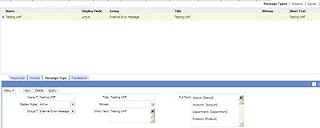
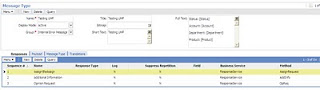
Welcome back to the next (!last) post in UMF series. In this we will discuss how we can capture responses and perform actions from the popup applet. It basically involves two steps: 1 - Creation of business service with different methods which needs to be invoked on selecting responses from message applet.Create a new business service "ResponseService". Add three Methods to this BS: AddInfo AssignRequest OpReq function Service_PreInvokeMethod (MethodName, Inputs, Outputs) { switch(MethodName) { case "AssignRequest": fnAssignReassign(Inputs, Outputs); return(CancelOperation); case "AddInfo": fnAddInfo(Inputs, Outputs); return(CancelOperation); case "OpReq": fnOpReq(Inputs, Outputs); return(CancelOperation); } return(ContinueOperation); } The best part is entire payload of the message is passed to the response thus allowing us to use them in response functions. 2 - Now its time to map the business service and met...

Unified Messaging Service Framework: Wealth of Messages

תמונה
Many times we have resorted to browser scripts for displaying message and based on the input given have decided steps to follow but with the introduction of UMS the dependency on the browser script can be avoided. We can do wonders with the UMS framework which can really help in orchestration of system. UMS is highly used in Order Management however Siebel is kind enough to allow us to use this for any other standard BO. However we need certain level of customization and scripting to achieve this. The main advantage of this framework is to invoke popup applets from workflow. I was not sure whether it was possible or not but as they say absence of evidence is not evidence of absence. A more than little help from support web and universal buddy Google made it. The details of Unified Messaging Service is available in OrderManagement guide. Here we will try to construct and invoke message from Service Request List Applet. It will display snapshot of Service Request which will help SR agent...

Generating unique numbers in DataMap

Sometimes data coming in inbound integration from external system cannot be uniquely identified.Similar scenario struck me and was forced to generate unique number at siebel side. One of the option was to parse incoming XML and add unique identifier using Scripting or XSL. Another option was to use "SIS OM PC Service" business service in datamaps and the generated output row_id could be used as user key during the insertion. In the field map following expression is used: InvokeServiceMethod("SIS OM PC Service", "Get Next RowId","Test='123'" ,"RowId") However the enigma was not ended here. Further twist was error "Access denied to invoke business service 'SIS OM PC Service' for search specification 'InvokeServiceMethod("SIS OM PC Service", "Get Next RowId","Test='123'" ,"RowId")'" . After some hunting on the support web i realised this security issue. In or...

Launching iHelp with eScript

Hey Folks, I had a requirement with one of my clients to have a button on a Form Applet that opens the iHelp . "My Oracle Support" has a few SR's that are related, and I had tried various things including trapping the method calls that are triggered when clicking on the iHelp button on the Toolbar, then repeating them on my custom button but with no luck. Oracle support seems to confirm you can't Launch iHelp with Script in Siebel 7.7, but doesn't mention Siebel 8.1 (which probably means you can't do it!) This however is possible through script. You could use the below code on the button to toggle the iHelp from a custom button. Code: function WebApplet_PreInvokeMethod (MethodName) {     if(MethodName == "LaunchiHelp")     {         var oBS = TheApplication().GetService("Task Assistant UI Service");         var psInputs = TheApplication().NewPropertySet();       ...